SSL/TLS Certificate Lifecycle Management: Preventing Expiry Outages and Cipher Vulnerabilities
An expired SSL/TLS certificate is one of the few outages that offers zero warning to end users and total certainty to attackers scanning for weak endpoints. One minute a service is serving HTTP/2 200; the next, browsers show NET::ERR_CERT_DATE_INVALID and every API client silently starts throwing handshake failures. It's rarely a capacity problem or a code regression — it's a date on a file nobody was watching.
This guide covers how the TLS handshake actually exposes certificate and cipher data, how to audit that data manually with openssl, dig, curl, and nmap, the most common causes of expiry outages and weak-cipher findings, and how the VoidOnyX SSL/TLS Certificate & Expiry Checker automates the entire lifecycle check in one lookup.
Table of Contents
- How the TLS Handshake Exposes Certificate Data
- Root Causes: Why Certificates Expire Unnoticed
- Manual Certificate Audits from the Terminal
- Cipher and Protocol Vulnerability Checks
- Automating It: The VoidOnyX SSL/TLS Certificate & Expiry Checker
- Troubleshooting Checklist for Webmasters and SysAdmins
- Frequently Asked Questions
1. How the TLS Handshake Exposes Certificate Data
Show Image
Every TLS connection begins with a handshake, and the server's certificate is sent in plaintext during that handshake — before any application data is encrypted. That's the property every certificate-checking tool relies on: you don't need credentials or API access to inspect a live cert, you just need to complete (or partially complete) a handshake against port 443.
The handshake, in order:
Client → ClientHello (supported TLS versions, cipher suites, SNI hostname)
Server → ServerHello + Certificate (leaf cert + intermediate chain)
Server → ServerKeyExchange, ServerHelloDone
Client → validates chain, checks hostname/SAN match, checks expiry
Client → ClientKeyExchange, ChangeCipherSpec, Finished
Server → ChangeCipherSpec, Finished
The Certificate message in step 2 contains everything a lifecycle-management tool needs: the notBefore/notAfter validity window, the Subject Alternative Names (SANs) the cert is valid for, the issuing Certificate Authority, the public key algorithm and size, and the signature algorithm. The ServerHello in the same exchange also reveals which TLS protocol version (1.2, 1.3, or — if misconfigured — the deprecated 1.0/1.1) and cipher suite the server negotiated.
This is the same mechanism the VoidOnyX SSL/TLS Certificate & Expiry Checker uses under the hood: it opens a genuine TLS socket to the target host and port, completes the handshake, and parses the certificate object directly from the connection — rather than depending on a third-party lookup API that could lag behind the live server state.
2. Root Causes: Why Certificates Expire Unnoticed
                  ROOT CAUSES OF EXPIRY OUTAGES
                            |
     ┌────────────────┬────┴─────────┬───────────────────┐
     ▼                ▼               ▼                   ▼
 Manual renewal   Auto-renew hook   Multi-domain SAN   No monitoring/
 process, no      silently failing  certs renewed      alerting on
 calendar owner   (cron/ACME error) partially           expiry window
- Manual renewal with no clear owner — certificates issued by a person who has since left the team, with no calendar reminder or ticket, are the single most common cause of production expiry incidents.
- Silently failing auto-renewal — Let's Encrypt/ACME clients like Certbot renew automatically via cron, but a permissions change, a firewall rule blocking the HTTP-01 challenge, or a DNS-01 API token expiring can make renewal fail silently for months before the cert actually lapses.
- Partial SAN coverage on multi-domain certs — a certificate covering
voidonyx.inandapi.voidpanel.comgets renewed, but a newly addedadmin.voidpanel.comsubdomain was never added to the SAN list, so it serves a mismatched (and eventually expired) cert on the next rotation. - No expiry monitoring or alerting — teams that rely on "someone will notice the browser warning" have no early-warning system; by the time a human notices, the outage has already started.
- Load balancer / CDN edge certs out of sync with origin certs — a renewal applied at the origin server doesn't always propagate to every edge node or load balancer pool, leaving some traffic paths still serving the old, expiring cert.
3. Manual Certificate Audits from the Terminal
Before relying on any dashboard, every webmaster and sysadmin should be able to pull this data by hand. These commands work identically across Linux and macOS; Windows users can run them via WSL or Git Bash.
Pull the full certificate with openssl s_client
bash
openssl s_client -connect voidonyx.in:443 -servername voidonyx.in < /dev/null 2>/dev/null | openssl x509 -noout -dates -subject -issuer
Expected output:
notBefore=Jan 15 00:00:00 2026 GMT
notAfter=Apr 15 23:59:59 2026 GMT
subject=CN=voidonyx.in
issuer=C=US, O=Let's Encrypt, CN=R11
List all Subject Alternative Names (SANs)
bash
openssl s_client -connect voidonyx.in:443 -servername voidonyx.in < /dev/null 2>/dev/null | openssl x509 -noout -text | grep -A1 "Subject Alternative Name"
Compute days remaining directly
bash
openssl s_client -connect voidpanel.com:443 -servername voidpanel.com < /dev/null 2>/dev/null | openssl x509 -noout -checkend $((30*86400)) && echo "Valid for 30+ more days" || echo "Expiring within 30 days"
-checkend takes seconds, so 30*86400 checks a 30-day window — a one-liner that's trivially scriptable into a cron-based alert.
Confirm DNS resolution first with dig
A certificate check is only useful if it's hitting the right IP. Confirm DNS resolution before troubleshooting a "connection failed" cert error:
bash
dig +short voidonyx.in A
dig +short voidonyx.in AAAA
Verify from the HTTP layer with curl
bash
curl -vI https://voidpanel.com 2>&1 | grep -E "expire date|subject|issuer|SSL certificate"
curl -v shows the negotiated protocol and cipher alongside the cert dates, which is useful for a fast one-command sanity check without piping through openssl separately.
Raw socket confirmation with netcat
bash
echo | nc -v voidonyx.in 443
This confirms the port is open and accepting TCP connections before assuming the failure is TLS-specific rather than a network/firewall issue.
4. Cipher and Protocol Vulnerability Checks
Expiry isn't the only lifecycle risk — a certificate can be perfectly valid while the server behind it still negotiates deprecated, vulnerable cipher suites or outdated protocol versions.
Enumerate supported ciphers with nmap
bash
nmap --script ssl-enum-ciphers -p 443 voidpanel.com
Sample output flags:
| ssl-enum-ciphers:
|   TLSv1.2:
|     ciphers:
|       TLS_ECDHE_RSA_WITH_AES_128_GCM_SHA256 (secp256r1) - A
|   TLSv1.3:
|     ciphers:
|       TLS_AES_128_GCM_SHA256 (secp256r1) - A
|_  least strength: A
Any grade of C or below, or the presence of TLSv1.0/TLSv1.1 in the output, indicates a protocol downgrade risk that should be disabled at the web server or load balancer config, not patched at the certificate level.
Force a specific protocol version to test backward compatibility
bash
openssl s_client -connect voidonyx.in:443 -tls1_2 < /dev/null 2>&1 | grep "Protocol"
openssl s_client -connect voidonyx.in:443 -tls1_3 < /dev/null 2>&1 | grep "Protocol"
If the -tls1_2 handshake fails while -tls1_3 succeeds, older clients (some corporate proxies, legacy IoT devices, older Android versions) may be unable to connect at all — a compatibility gap worth knowing about deliberately rather than discovering via a support ticket.
Check certificate chain completeness
bash
openssl s_client -connect voidpanel.com:443 -servername voidpanel.com -showcerts < /dev/null 2>/dev/null | grep -c "BEGIN CERTIFICATE"
A result of 1 usually means the server is only sending the leaf certificate without the intermediate chain — a common cause of "works in Chrome, fails in curl/mobile apps" reports, since some clients don't fetch missing intermediates automatically.
FindingRisk LevelTypical FixTLSv1.0 / TLSv1.1 still enabledHighDisable in web server / LB configMissing intermediate cert in chainHighServe full chain, not just leaf certSelf-signed cert on public endpointHighIssue a publicly trusted cert (Let's Encrypt, DigiCert, etc.)Cert expiring in ≤7 daysCriticalRenew immediately, verify auto-renew hookSAN missing a live subdomainMediumReissue cert with updated SAN listCipher grade C or lowerMediumRestrict cipher suite list to modern AEAD ciphers
5. Automating It: The VoidOnyX SSL/TLS Certificate & Expiry Checker
Show Image
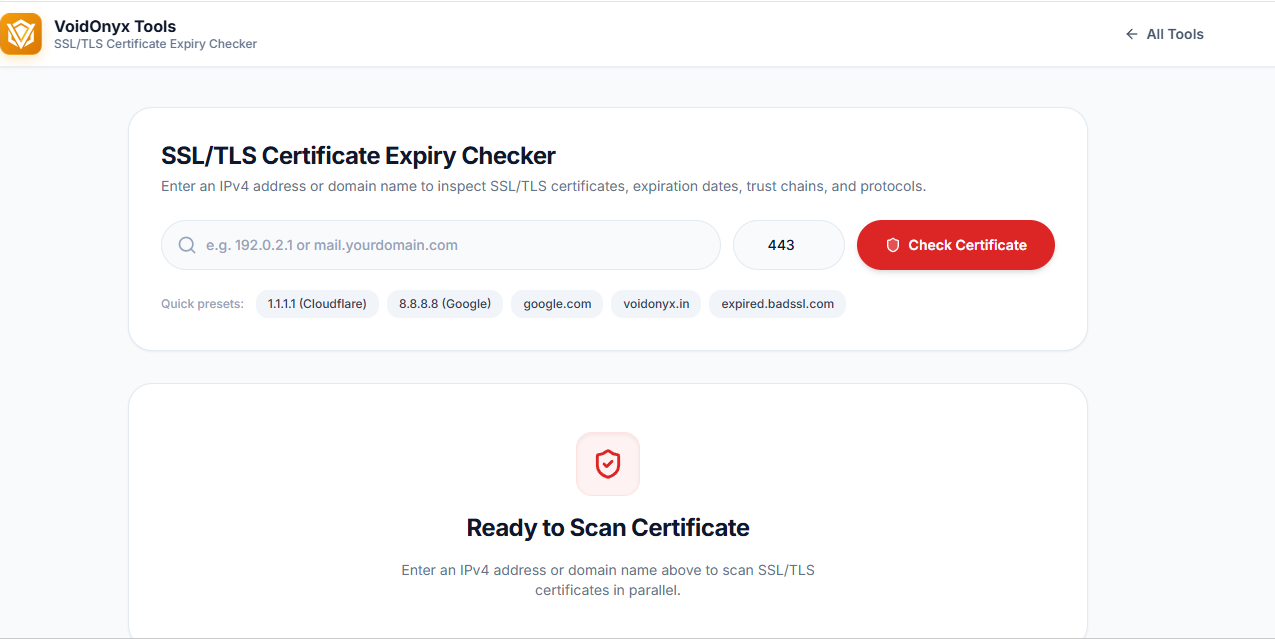
Running the commands above one host at a time is fine for a single incident, but it doesn't scale across dozens of subdomains, load balancer pools, and third-party integrations. The VoidOnyX SSL/TLS Certificate & Expiry Checker wraps this entire workflow into a single browser-based lookup.
How it's built
- Live TLS handshake, not a cached API — the backend opens a real socket connection to the target host and port and parses the certificate directly off the handshake, the same way
openssl s_clientdoes. - Full lifecycle data in one pass — validity window, days remaining, full SAN list, issuer chain, public key details, and negotiated protocol version are all pulled from a single connection.
- Dual-protocol testing — the tool attempts both a default and a TLS-1.2-forced handshake to confirm backward compatibility, surfacing the exact gap described in Section 4 automatically.
- Color-coded urgency — results are flagged ✅ Valid, ⚠️ Expiring Soon, or ❌ Expired/Untrusted, with days-remaining shown as a large, color-coded number so a scan of results makes urgent items obvious immediately.
- Self-signed and mismatch detection — untrusted or hostname-mismatched certs are flagged clearly rather than the check simply failing outright, since that distinction changes the remediation path entirely.
Reading your results
Show Image
- Green, 30+ days remaining, full chain present — the target state; nothing to action.
- Amber, 8–30 days remaining — schedule renewal this week, don't wait for the red state.
- Red, ≤7 days or already expired — treat as an active incident; renew and redeploy immediately, then investigate why the auto-renew hook (if one exists) didn't fire.
6. Troubleshooting Checklist for Webmasters and SysAdmins
- Confirm DNS resolves to the expected IP with
dig +short <host> Abefore assuming a cert problem. - Run
openssl s_client -checkendagainst every production hostname and load balancer node individually — not just the primary domain. - Verify the full chain is served, not just the leaf cert (
grep -c "BEGIN CERTIFICATE"should return 2 or more). - Confirm ACME/Certbot auto-renewal logs show a successful run within the last 60 days, not just that the cron job exists.
- Re-check every SAN entry against currently live subdomains — remove stale ones, add missing ones, before the next renewal.
- Run
nmap --script ssl-enum-ciphersafter any web server config change to catch accidental re-enabling of deprecated protocols. - Set a recurring calendar reminder or monitoring alert at the 30-day and 7-day marks — don't rely on browser warnings as the first signal.
- Cross-check edge/CDN certificates separately from origin certificates; they renew independently in most setups.
7. Frequently Asked Questions
How far in advance should I renew a certificate? Most CAs and monitoring best practice recommend renewing at the 30-day mark, with a hard escalation at 7 days. Let's Encrypt certs (90-day validity) are typically auto-renewed at the 60-day mark by Certbot's default cron schedule, leaving 30 days of buffer if a renewal attempt fails.
Does an expired certificate actually take a site offline? Not at the network level — the server still responds — but every modern browser and most HTTP client libraries will refuse the connection outright (NET::ERR_CERT_DATE_INVALID, SSL: CERTIFICATE_VERIFY_FAILED), which functions identically to an outage from the end user's perspective.
What's the difference between a certificate error and a cipher/protocol error? A certificate error (expiry, mismatch, untrusted issuer) is about the identity document itself. A cipher/protocol error is about how the connection is encrypted, independent of whether the certificate is valid — a perfectly valid certificate can still be served over a deprecated, vulnerable protocol.
Can I check a certificate without exposing it to a third-party API? Yes — every method in Section 3, and the VoidOnyX SSL/TLS Certificate & Expiry Checker itself, works by completing a direct TLS handshake against the target host rather than querying a third-party certificate-transparency API, so no lookup data passes through an intermediary service.
Does this also affect email server reputation? Indirectly — an expired or misconfigured TLS cert on a mail server's STARTTLS connection doesn't cause a DNSBL listing by itself, but it does get flagged or downgraded by receiving servers that enforce opportunistic TLS. If you're auditing mail deliverability specifically, pair this check with the VoidOnyX Email Blacklist (RBL) & Deliverability Checker, which covers DNSBL listings and SPF/DKIM/DMARC status in one pass.
Conclusion
Certificate expiry outages are almost always avoidable — they happen not because TLS is fragile, but because the renewal process had a single point of failure nobody was watching: a person, a cron job, or a silently failing ACME hook. Understanding how the handshake exposes certificate and cipher data, running periodic manual audits with openssl, dig, curl, and nmap, and treating the 30-day and 7-day marks as real deadlines rather than suggestions closes that gap.
For a one-off check, a single openssl s_client command takes seconds. For ongoing visibility across every production hostname — full lifecycle data, SAN coverage, protocol compatibility, and urgency-flagged expiry — the VoidOnyX SSL/TLS Certificate & Expiry Checker runs the entire audit in-browser from a single domain or IP lookup, no installation required.
Related reading: DNS Checker Tool: Complete Guide to DNS Propagation & Records — since DNS misconfiguration is frequently the root cause
behind a certificate resolving to the wrong host in the first place.